

Google Merchant GTIN Required From 16th May 2016
As of May 16 2016 a GTIN (Global Trade Identification Number) which can be a EAN, UPC, IBAN, JPN is going to be required for the following countries Australia, Brazil, Czech Republic, France, Germany, Italy, Japan, Netherlands, Spain, Switzerland, United Kingdom, United States. The general rule is that if a manufacturer has assigned a GTIN ie

Understanding & Researching The Checkout Using Analytic Tools
A couple of years ago I have written several articles that explain how to build a mobile checkout on smileywar.com. These articles based on one of the best performing checkout applications I have ever built. I was very happy with the functionalities and visual aspect, but there is always room for improvement. So yesterday I have developed my

Google Shopping SSL Requirements
When you want to publish products on Google Shopping it is important to understand the requirements when it comes to the checkout & security. The basic rule is that if you are collecting personal information than a SSL certificate is required. Lets delve into the first topic which is when you need to have a
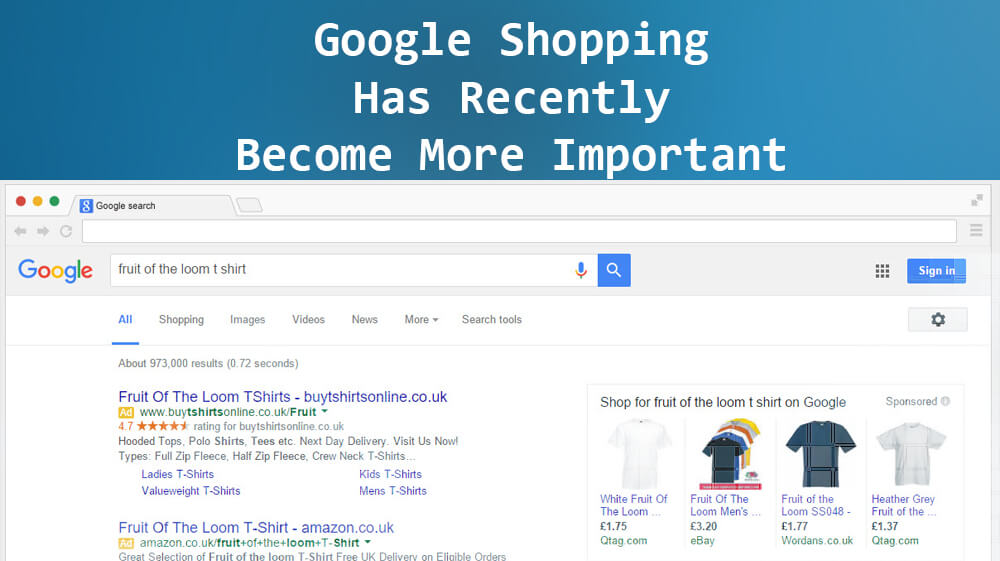
Google Shopping Has Recently Become More Important
Whether you are a merchant whom has advertised on Google for a long time or your about to start. A couple of days ago (Mid February 2016) the landscape for advertising in Google has changed dramatically for desktop users. In this article we explain what has changed and what you need to do to compete. Google’s old
How to be labeled refilled in Google Shopping
To be labeled refilled for printer cartridges in Google Shopping, you need to meet certain requirements. Do note that as Google is constantly experimenting with features that what is suggested here might be invalid in the near future. Requirement 1 You need to place your refilled cartridges in the correct category. Which is :

Shopify Enhanced Conversion Tracking Pixel For Google Ads + Micro Conversions + GA4
Add Google Ads conversion tracking to Shopify quickly. Choose from three versions: The Shopify Pixel Code is compatible with Shopify checkout extensibility. Please note that users checking the code with Tag Assistant or developer tools will not be able to see the code, as Shopify pixels run in sandbox mode, which is not viewable. Please

How To Add Google Ads Remarketing Pixel For Shopify Natively
An easy step by step guide on how to add Google Ads Remarketing Pixel to Shopify Customer Events using the latest features. Login to Google Ads, then in the left hand menu select Tools > Audience manager From the top menu, click on Your data sources Here you will see all your panels, click on

How To Add Audiences In Standard Google Shopping Campaigns
Google Shopping Audiences allows you to retarget customers that have already clicked on your ad by assigning a bid adjustment to bid higher than you usually would. Ok I can hear all of you already saying another Google scheme to get more money out of my pocket. Well yes and no. And here is why there

Use Google Shopping Insight For Creating Better Ads
Google has launched a great new feature which allows you to see what is most popular between products, brands, regions, device and seasons. Currently it is still in beta and only available for the US with around 5000 products. This tool allows you to easily make more decisive decisions. Lets dive in and see what