


Why Display Your Return Policy?
A clear and accessible return policy:
- Increases customer confidence and trust.
- Can improve click-through and conversion rates.
- Is a requirement for certain Google programs, like the “Top Quality Store” badge.
- Helps prevent account issues related to policy violations.

Preparing Your Return Policy
Before setting up your return policy in GMC, ensure your website’s return policy page includes:
- Countries where you accept returns.
- Return window (number of days after delivery).
- Detailed return procedures (contact methods, return address, steps).
- Expected refund processing time.
- Conditions under which returns are accepted (e.g., new, used).
- Information on restocking fees and who bears return shipping costs.
Ensure consistency between the information on your website and what you submit in GMC.
Setting Up Return Policies in Google Merchant Center
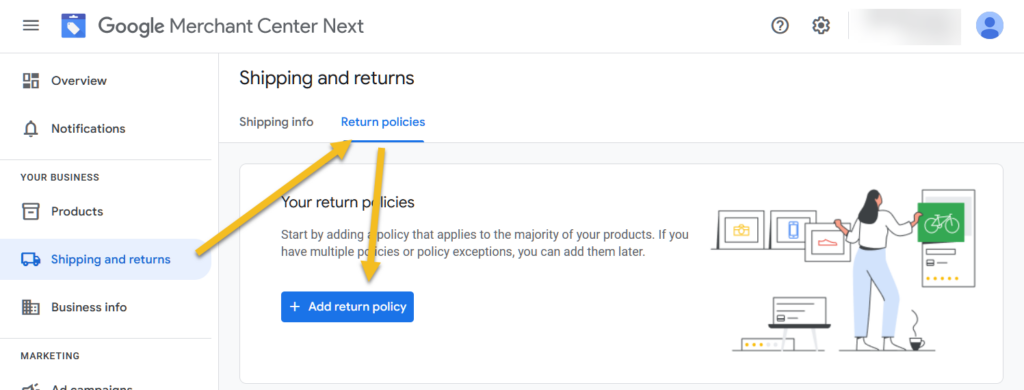
- Go to Shipping and Returns > Return Policies.
- Click the + Add Return Policy button.

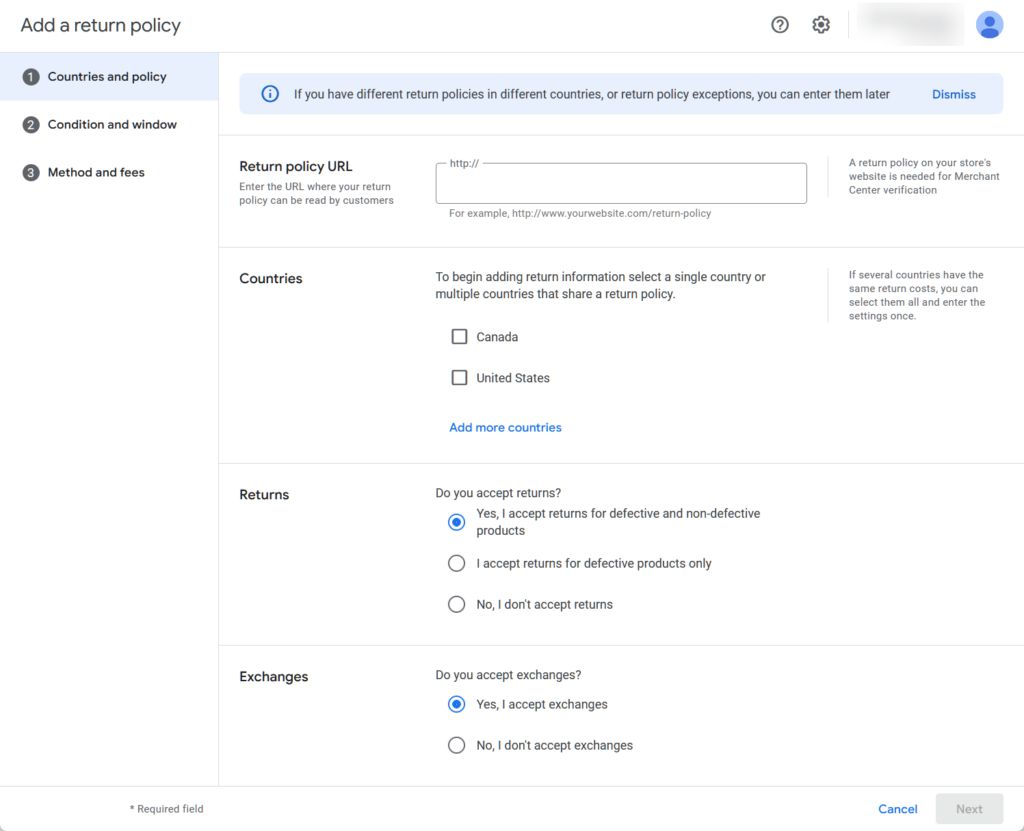
- Provide your return policy URL and select applicable countries.
- Indicate if you accept returns and exchanges.

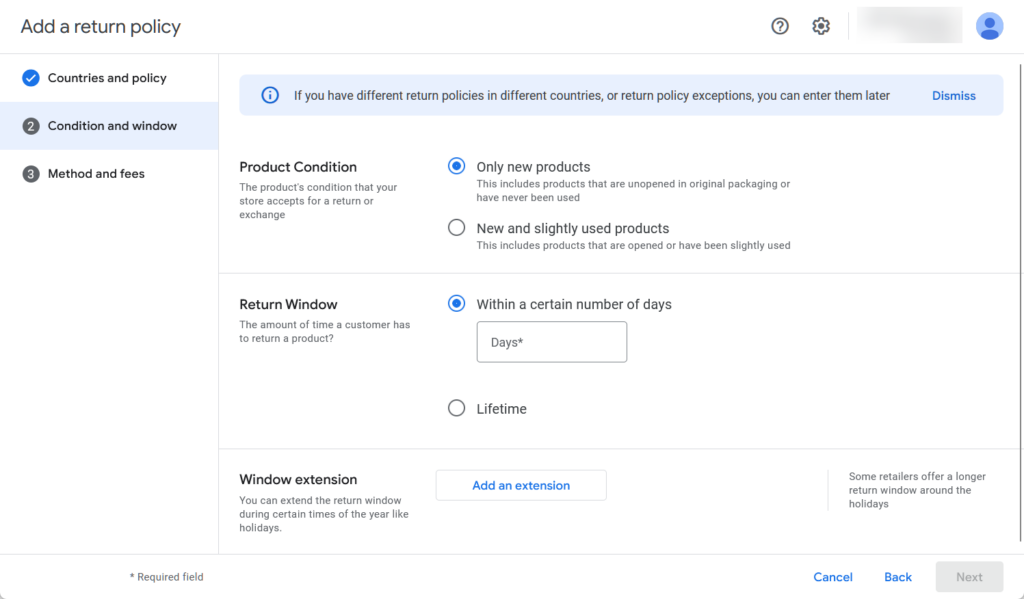
- Choose under which conditions you accept returns
- Specify the return window and any seasonal extensions.

- Choose the return methods and how customers receive return labels.
- Set the currency, restocking fees, and refund processing time.


- Confirm that the information matches your website’s policy and save.


Best Practices and Troubleshooting
- Start Fresh: If GMC auto-fills return policy information, it’s advisable to start from scratch to ensure accuracy and avoid known bugs.
- Consistency is Key: Ensure that the return policy details in GMC match exactly with those on your website. Discrepancies can lead to policy disapprovals.
- Review Period: After submission, Google may take up to 10 days to review your return policy. Avoid making changes during this period.
- Handling Rejections: If your policy is disapproved, check for missing or inconsistent information between GMC and your website. Update accordingly and resubmit.
- Use Return Policy Labels: For products with different return policies, use the
return_policy_labelattribute to assign specific policies to relevant products.
Additional Resources
- Set up your return policies for Shopping ads and free listings
- Return policy label [return_policy_label] – Google Merchant Center Help