


An easy step by step guide on how to add Google Ads Remarketing Pixel to Shopify Customer Events using the latest features.

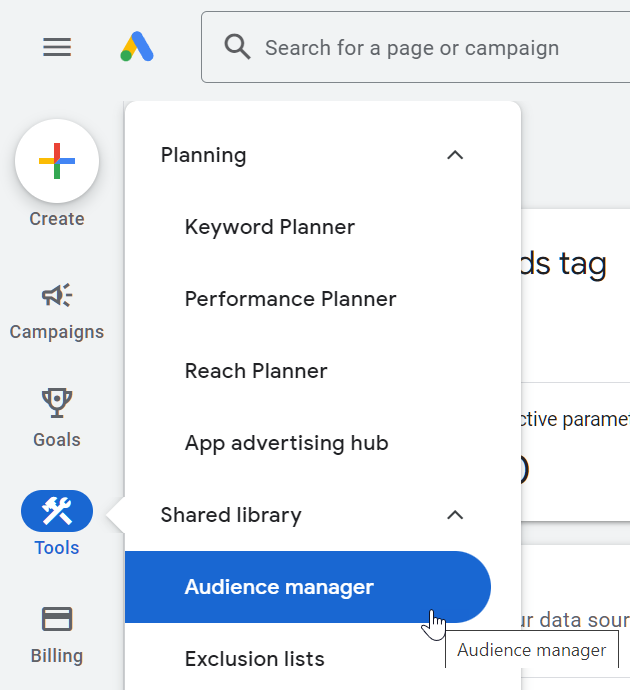
Login to Google Ads, then in the left hand menu select Tools > Audience manager
From the top menu, click on Your data sources


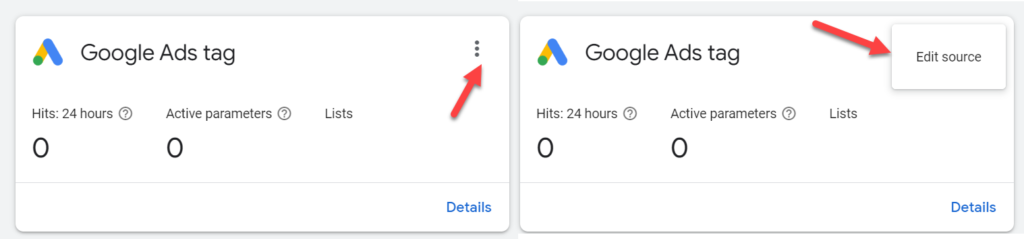
Here you will see all your panels, click on the 3dot menu for Google Ads Tag and select edit source. Or if that is not available click on set up tag.

Or go to this URL: https://ads.google.com/aw/audiences/management/datasources/tagsetup
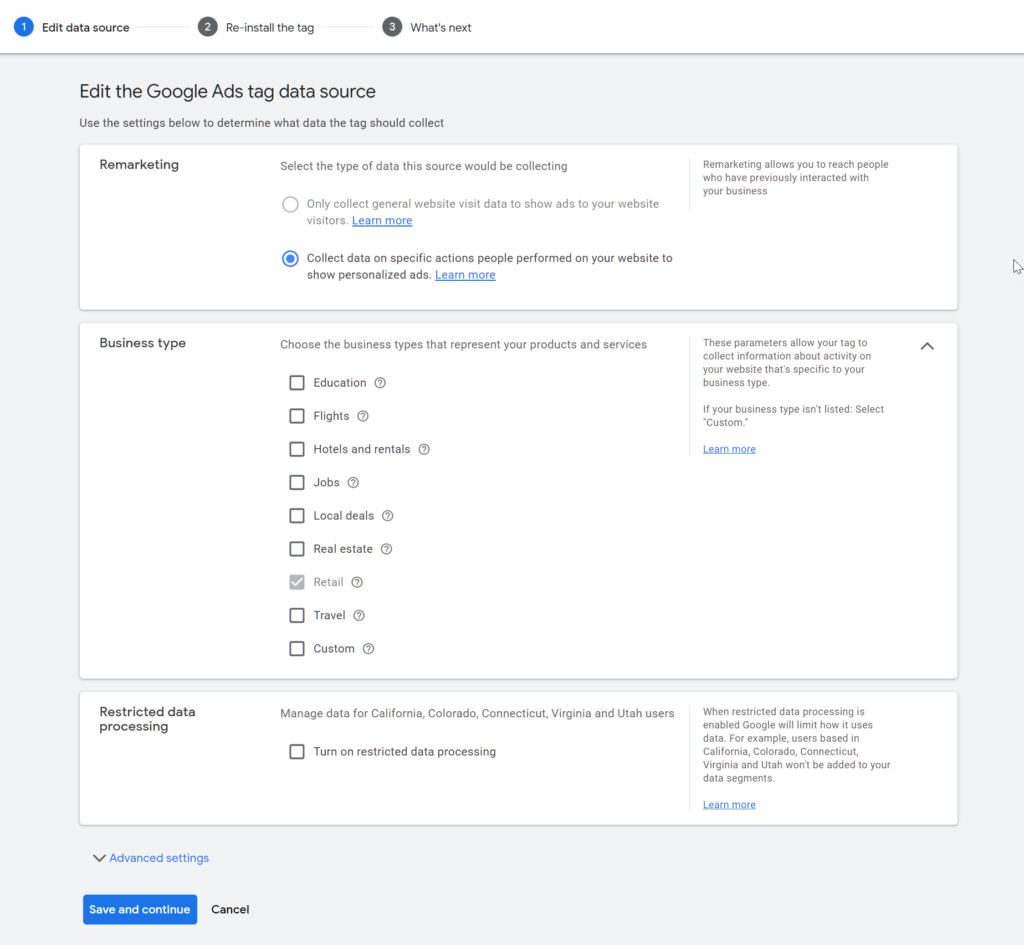
Select the following:
- Remarketing
- Collect data on specific actions people performed on your website to show personalized ads.
- Business Type
- Retail
- Click on Save and continue

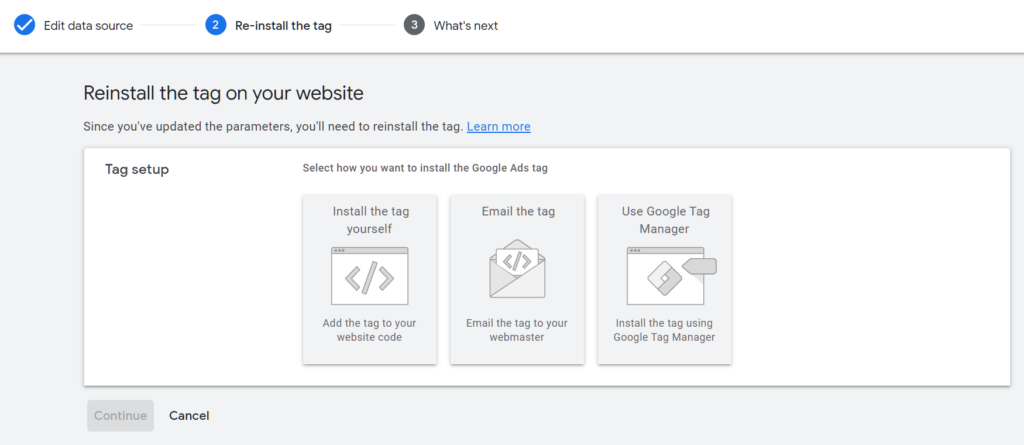
Click on Install the tag yourself

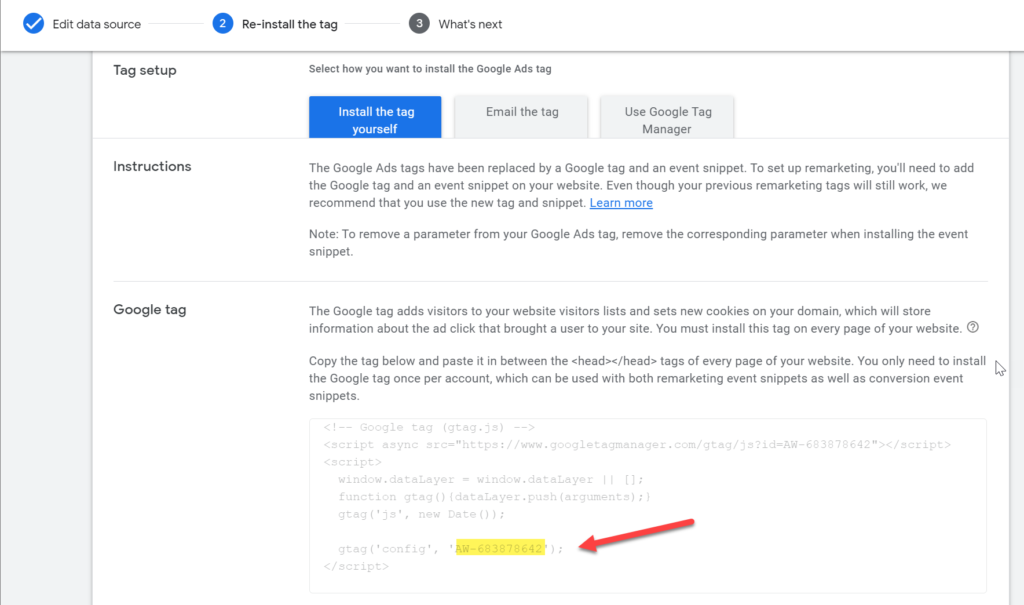
Copy the numeric source tag id as shown in the image below for later use. We will add the source tag id to the script below. (paste it in a text file for later use)

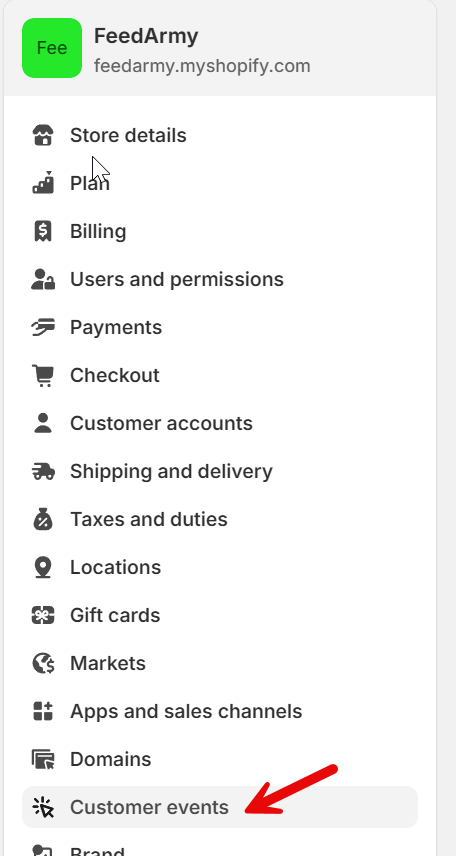
Go to Shopify > Settings > Customer Events

Click on add custom pixel


Give it a name, such as Google Ads Remarketing Tag


Set your Customer Privacy Permission to Marketing only.
Set your Data sale to data collected does not quality as data sale.


Paste your code from the link below, and change the following 3 settings (only edit between settings start and end)
You can get the code at: https://merchantcodex.com/google-ads-remarketing-pixel-for-shopify-native-v1-05/

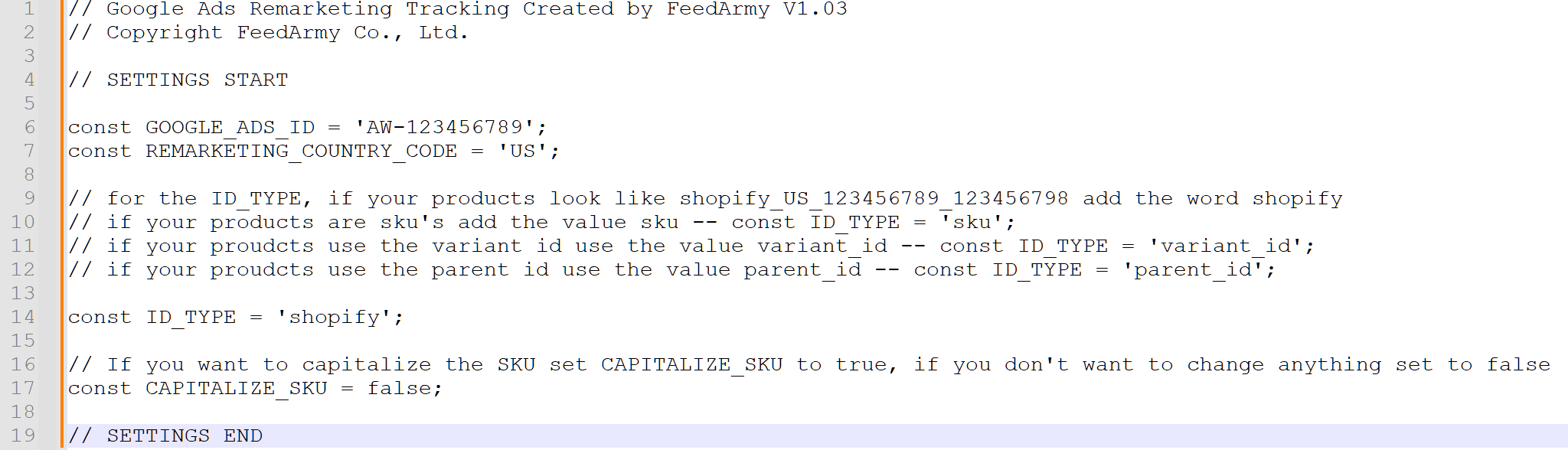
- Change GOOGLE_ADS_ID value with your account ID you saved earlier
- Change the REMARKETING_COUNTRY_CODE to the country your shopify ID’s, if you don’t know simply go to Google Merchant Center > Products > All Products > and the id’s will look like shopify_US_123456789_123546789
- Change the ID_TYPE to shopify, sku, variant_id or parent_id dependent on the ID’s you used in Google Merchant Center
- if your products look like shopify_US_123456789_123456798 add the word shopify
- if your products are sku’s add the value sku — const ID_TYPE = ‘sku’;
- if your proudcts use the variant id use the value variant_id — const ID_TYPE = ‘variant_id’;
- if your proudcts use the parent id use the value parent_id — const ID_TYPE = ‘parent_id’;
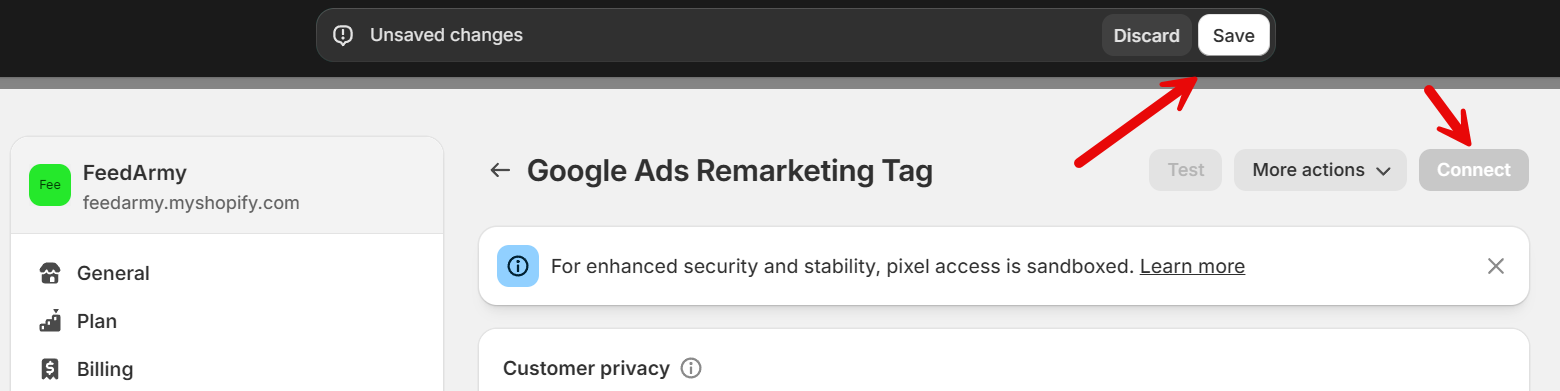
Now click on save and connect

🛠️ Changelog
Version 1.05 – 7 th April 2025
✨ New Features:
- Automatic Cookie Consent Handling (with Fallback)
The script now respects Shopify’s customer privacy API. If a consent app is installed, it will only run tracking after marketing consent is given.
✅ If no cookie banner or consent app is present, the script automatically runs, ensuring tracking still works out of the box.
🧠 Improvements:
- Universal Compatibility
Works seamlessly with or without cookie consent apps — no extra setup needed. - Console Warnings
Helpful messages added to the browser console when the privacy API is not detected or consent is denied — makes troubleshooting easier for store owners.
🔐 Compliance Ready (but Flexible)
For stores in regions like the EU/UK/CA, tracking respects privacy laws by default. For others, no setup changes are needed — just paste and go.
Version 1.04 – 6th April 2025
✨ New Features:
begin_checkoutevent added
Tracks when a user starts the checkout process, improving funnel visibility and audience targeting.remove_from_cartevent added
Helps build audiences based on cart abandonment behavior.customer_loginandcustomer_account_createdevents added
Enables retargeting or exclusion of logged-in users and new customer sign-ups for more refined remarketing lists.
🧠 Improvements:
- Deduplication logic for
purchaseevents
Prevents duplicate conversions being sent to Google Ads during multi-trigger scenarios. - Null/undefined safety added to all event handlers
Prevents errors when product or variant data is missing—ensures reliable performance even with unusual product setups (e.g. bundles, custom apps). - Standardized product ID generation
All event handlers now use a centralizedgetItemId()function for consistent and clean tracking across all product ID formats (shopify,sku,variant_id,parent_id). - Inline logic for
begin_checkoutevent
No longer depends on shared utility functions, keeping things fast and lightweight. - Conversion callback (
event_callback) added topurchase
Ensures Google Ads recognizes the conversion even during quick page transitions or redirects.
🧼 Refactoring:
- Cleaner code structure and reduced duplication.
- All item processing logic now uses
Array.map().filter()for safe and accurate payload creation.
Version 1.02 – 17th June 2024
First itteration of the Google Ads remarketing pixel code for Shopify customer events.