



If you have URLs that look like https://mystore.myshopify.com, you need to ensure you have set up the correct domain redirect. Below is a detailed tutorial explaining the steps you need to take to update these URL’s
Changing In Shopify
Step 1
Log in to your Shopify Admin Panel
Step 2
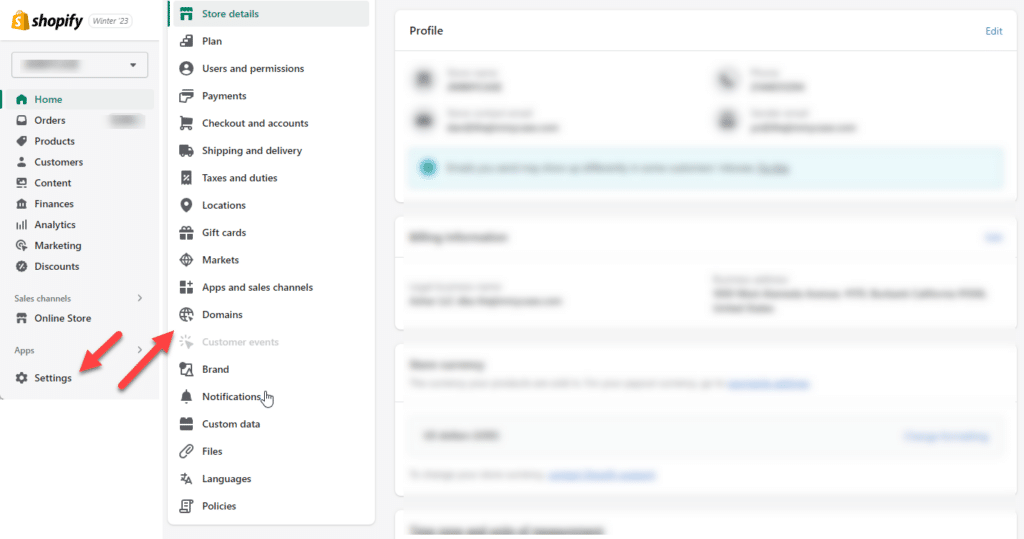
Go to Settings > Domains

Step 3
In the first section, where you see Set your primary domain, choose the correct domain instead of your myshopify.com domain.
Then enable redirect and click on save.